
HP OmniBook Ultra 14 (2026): Snapdragon X2 Elite vs Intel Panther Lake
HP's 2026 OmniBook Ultra 14 is a slim OLED laptop with two chip families. Here are the prices, the Snapdragon vs Intel choice, battery claims and review notes.
By TechnoWorld360 Editorial TeamPublished
- Format
- Explainer
The short answer
The HP OmniBook Ultra 14 (2026) is a 0.42 inch thick, 2.8 pound laptop with a 14 inch 3K OLED touchscreen, sold with a Snapdragon X2 Elite chip or Intel Core Ultra Series 3 Panther Lake processors. Reported prices run from $1,699.99 for the Intel base model at HP to $2,049.99 for a Snapdragon model at Best Buy, with higher tiers costing more. Reviewers praise the design and performance and criticize the steep price, missing USB-A port and spongier keyboard.
Overview
The OmniBook Ultra 14 is HP's slim Windows laptop offering for 2026, and is a near perfect replacement for the Spectre line up according to Notebookcheck. This second generation laptop was released at CES 2026, and is the first HP ever to feature the Qualcomm Snapdragon X2 Elite chip according to Windows Central.
It comes in two variants, with the X2 Elite version available for purchase from Best Buy at $2,049.99 as an introductory price in April. The Intel version, with Core Ultra Series 3 Panther Lake processors, starts at $1,699.99 on HP's site. Both share a 14 inch 3K OLED touchscreen, a body 0.42 inches thick that weighs 2.83 pounds, and three Thunderbolt 4 or USB4 ports.
The design and performance of this laptop is praised from reviews. It is one of HP's best prosumer sub-notebooks according to Notebookcheck but does come with a hefty price tag of over $2000. It does also have a new keyboard that feels a little spongy. It is a milestone for Windows laptops according to the review quoted by IBTimes Australia.
We've compiled all three reviews we could find to explain the different chips, and where they differ. This guide will also explain why you should buy this laptop. We haven't tested the laptop.
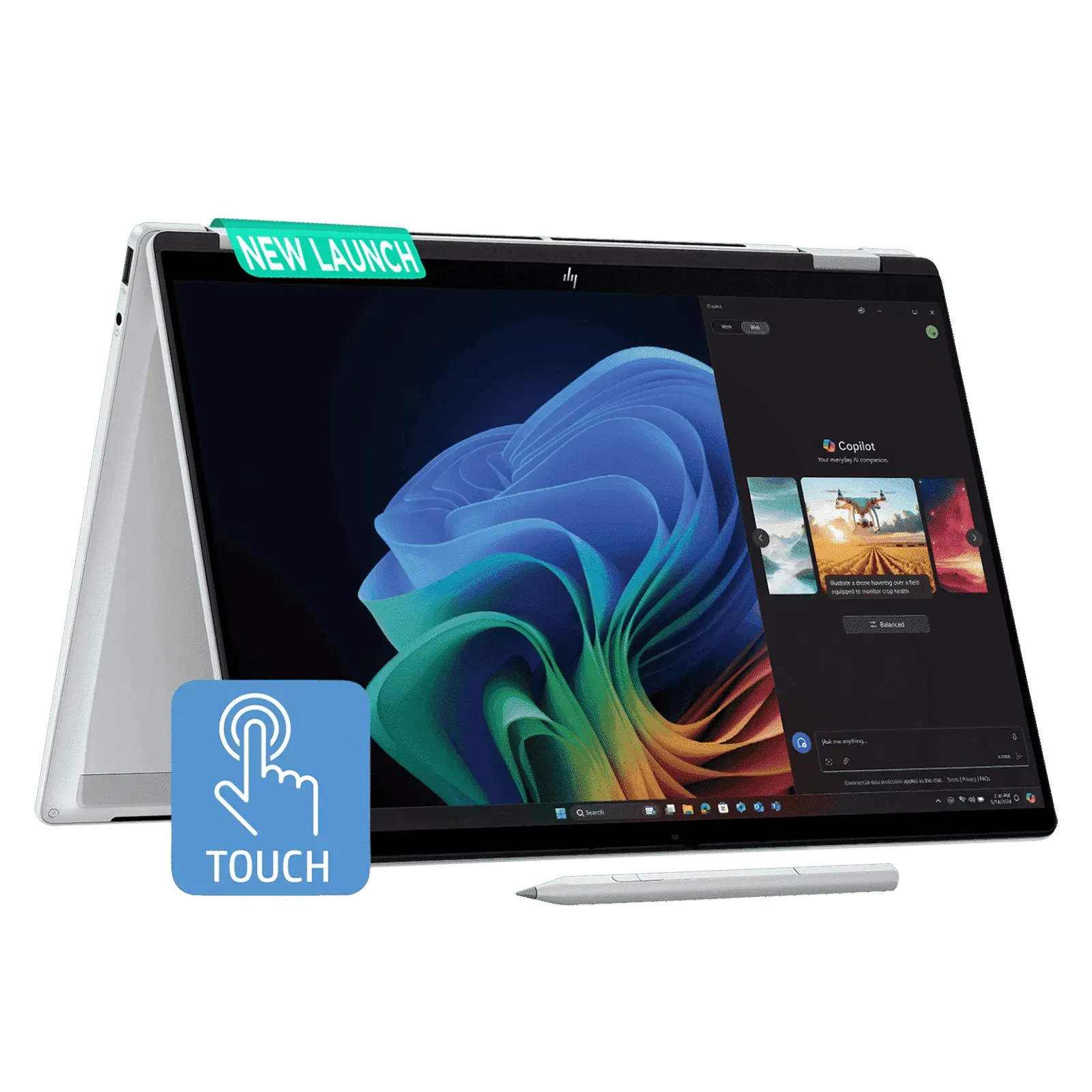
Prices and Configurations
Windows Central, writing on April 2nd 2026, reports the Snapdragon X2 Elite model at $2,049.99 at Best Buy as an introductory price, with 32GB of LPDDR5x memory and a 1TB PCIe 5.0 SSD. The Intel model is sold directly from HP, starting at $1,699.99 with a Core Ultra 7 365H, 16GB of memory and a 512GB SSD. The article says Intel configurations can go up to a Core Ultra X9 388H, 64GB of memory and 2TB of storage, and that prices rise quickly at the top end.
Windows Central also compares like with like. A Core Ultra 9 386H version with 32GB of memory and a 1TB SSD costs about $2,339.99, roughly $290 more than the Snapdragon model, and the author calls the Snapdragon pricing the far more affordable choice when hardware is comparable.
IBTimes Australia lists prices starting at $1,899 for a base model with a Snapdragon X Plus chip and 16GB of memory and $2,399 from HP for the X2 Elite version with 32gb. The top version with 64gb and 2tb is much more expensive. Notebookcheck, in a June 15 article, says only that the asking price is $2,000 or more.
Prices vary between the sources, this is likely due to the dates and retailers. The price on Windows Central is an introductory price for April, whilst the prices on IBTimes are from a later review and HP store. Check the price from HP store and Best Buy. Prices for memory based laptops have been increasing this year.
Snapdragon X2 Elite or Intel Panther Lake?
Windows Central describes the Snapdragon X2 Elite chip, the X2E-90, as an 18-core processor with a boost clock up to 5GHz and integrated graphics at up to 1.7GHz. It says the chip beats Apple's M5 in three major benchmarks and calls it a major upgrade over the Snapdragon X1 Elite in efficiency and performance. IBTimes Australia repeats the claim and adds that the review did not name the three benchmarks. We could not verify it independently.
The Intel versions use Core Ultra Series 3, code-named Panther Lake. Windows Central says the base configuration has a Core Ultra 7 365H and that higher tiers go up to a Core Ultra X9 388H. Notebookcheck's related headlines mention that the X9 388H ran slower than the X7 386H in first benchmarks, though the article we read did not confirm the details.
The main issue with using the Snapdragon chip on Windows is app compatibility due to it being an Arm chip. None of the three sources mentioned this in much detail. However, if you use any old or specific software ensure it works on Arm.
Windows Central says the Intel model is sold directly from HP and the Snapdragon model is at Best Buy, which may matter for warranty and return handling. IBTimes says Qualcomm models use USB4 while Intel models use Thunderbolt 4. Both have Wi-Fi 7.
If you want the longest battery life and a lower price, the reports favor Snapdragon. However if you want the most compatibility or Thunderbolt then go for the Intel.
AI Performance
Windows Central says the Snapdragon X2 Elite's NPU, the part that runs on-device AI, is rated at 80 TOPS and is higher than any current Intel or AMD NPU. IBTimes Australia says the NPU is rated at 85 TOPS and is higher than the 80 TOPS of other makers' chips and higher than Intel Panther Lake and AMD Ryzen AI chips.
The two numbers differ by five TOPS and the two articles disagree about whether 80 TOPS is the Qualcomm figure or the competitors' figure. We could not settle which is right from the sources we read. Treat the claim as meaning that the Snapdragon NPU is rated higher than most competing laptop chips, and check HP's spec sheet for the exact figure on the model you want.
TOPS is trillions of operations per second. This is the max it can perform. Actual performance will depend on software support. No testing was done in the sources.
Design and Build
Windows Central lists the shared specifications: 2.83 pounds, 0.42 inches thick, an aluminium chassis with 11 MIL-STD-810 durability certifications, a lattice-free keyboard and an oversized haptic touchpad. IBTimes Australia gives a similar weight of 2.81 pounds, and says HP describes it as the world's most durably slim 14 inch consumer notebook.
IBTimes also reports a forge-stamped anodised aluminium chassis that HP says resists bending better than MacBook unibody designs, passes 20 military-standard tests, comes in a stone blue colourway with brushed metal sides and has an anti-fingerprint finish. These are HP's claims, repeated by the review.
Notebookcheck praises the looks and says the 2026 model feels like an original design and not a Spectre derivative. The 2024 model had inherited Spectre elements such as diamond cut corners.
Ports are three Thunderbolt 4 or USB4 ports and a 3.5mm jack, according to Windows Central, which says the rear was thickened to fit them. Notebookcheck notes there is no integrated USB-A port, a first for the OmniBook line, while the OmniBook X still has one, and suspects the headset jack could be dropped in a future model. IBTimes adds there is no SD card reader.
The 11 durability certifications in Windows Central and the 20 tests in IBTimes do not necessarily conflict, since they may count different things. Both come from HP's own claims.
3K OLED Display
Both Windows Central and IBTimes Australia describe a 14 inch 3K OLED touchscreen. IBTimes adds a 16:10 shape, a 120Hz refresh rate, 100% DCI-P3 coverage, about 500 nits peak brightness in standard mode and an HDR rating of 1,100 nits from HP. Windows Central gives up to 1,100 nits.
IBTimes says there is also a cheaper Full HD+ OLED option at 60Hz. Notebookcheck's related headlines mention a 120Hz OLED replacing the original 60Hz IPS panel on this model, though the article we read did not detail it.
No current MacBook has a touchscreen OLED display so this is an advantage over Apple according to IBTimes.
No independent testing of the display was found.
Battery Life and Performance
IBTimes Australia lists a 70Wh battery and reports that HP claims up to 44 hours. The reviewer says real-world use will vary but still delivers a full working day. That 44-hour figure is a manufacturer claim made under test conditions, and the review does not give a measured runtime.
On performance, IBTimes reports Cinebench 2026 scores of 4,646 multi-core and 632 single-core for the Snapdragon X2 Elite model. It says the laptop handled 4K video editing without problems and ran light 1440p gaming smoothly. It also notes the model has HP's first built-in vapor chamber in an OmniBook, intended to sustain performance under heavy loads.
Windows Central's author says of the Snapdragon model that it is going to absolutely rip, and says it is a big upgrade over the 2024 Intel model he reviewed favorably. That is a strong opinion, based on pre-release or early use.
Treat both numbers as indicative. The sources do not provide third-party battery tests of the Ultra 14, which would be the best way to check the 44-hour claim.
Keyboard
Notebookcheck's main complaint is the keyboard. It says the redesigned keyboard, with a bevelled layout replacing the chiclet design of the 2024 model, feels spongier and has shallower travel, and calls it an unexpected change that takes getting used to. It adds that the Spectre and EliteBook lines have some of the best keyboards, which makes this one feel like a downgrade.
IBTimes Australia says keyboard feel is praised across reviews, with a large trackpad. So the reviews disagree, and a store test is worthwhile before you buy.
Other compromises are the missing USB-A port, the lack of an SD card reader, which IBTimes says may bother photographers, and the high price. Some reviewers consider the port selection limited for the money, according to IBTimes.
There wasn't any mention of a major performance issue.
Comparison to MacBook and XPS
IBTimes Australia says the price is closer to the MacBook Pro M5, which it lists at $1,499, than to the MacBook Air M4. It claims the OmniBook is 5 percent thinner than the MacBook Air. It says Apple retains advantages in ecosystem integration, software optimisation and brand strength.
Notebookcheck's related headlines say the Ultra 14 has one key advantage over the Dell XPS 14, which is likely the 120Hz OLED display, though the article we read did not spell it out.
Our separate review roundup of the XPS 14 gives context. Tom's Guide found the XPS 14 starts at $1,599 with an OLED option around $2,200, and Gizmodo and Notebookcheck were critical of its keyboard too. On the numbers we collected, the two laptops are in the same price range.
In short, the HP's selling points are thinness, a 120Hz OLED touchscreen and a choice of Snapdragon or Intel. Dell's are the Panther Lake graphics and a classic XPS look.
Why prices are rising: HP's figures
Price is a theme in all the sources, and HP has been open about the cause. 3D Tested, reporting on HP's first-quarter 2026 earnings call on February 25th, says memory now makes up 35% of HP's PC materials cost, up from 15-18% in the previous quarter. HP's chief financial officer, Karen Parkhill, said memory costs rose about 100% and that she expects further increases through the year. The article notes its own wording of the quarter does not match the call, so the timeframe may be a mistake.
HP's interim chief executive, Bruce Broussard, said HP had secured long-term supply agreements for the year and qualified new suppliers. 3D Tested says HP built strategic inventory for key platforms and halved the time needed to qualify new materials. Parkhill said personal systems margins would stay below HP's long-term range for the rest of fiscal 2026, and that HP expected results at the lower end of its guidance.
The report attributes the shortage to AI and data centre demand, with memory makers prioritising high bandwidth memory over consumer DRAM, and says TrendForce projected PC DRAM contract prices would rise 90-95% quarter over quarter in the first quarter of 2026. It adds that Dell and Lenovo have issued similar warnings.
The article does not give a specific HP price increase, and says manufacturers are passing costs on through price increases. So we cannot say the Ultra 14's price rose because of memory. The point is that premium laptops with 32GB or 64GB of memory are exactly the products most exposed to these costs.
Comparison to 2024 OmniBook Ultra 14
Windows Central says the 2026 model is thinner, lighter and more durable than the 2024 Intel Core Ultra model, which the author reviewed favorably. Notebookcheck says the 2024 model had a chiclet keyboard and a Ryzen AI 9 HX 375 chip and inherited Spectre elements such as diamond cut corners.
The 2026 model has a new design language, bevelled keyboard, 120Hz OLED option, two different chip families and the Snapdragon version has a much longer battery life. It does lose the USB-A port and some people may not like the keyboard.
If you own the 2024 model there isn't a reason to upgrade unless you want the new chip family or screen. We couldn't find any head-to-head testing.
Who should buy it?
If you want a slim and light Windows laptop with a bright OLED touchscreen and can afford the premium price then this is the one for you. If you want a long battery life and your software is compatible with Arm then go for the X2 Elite version.
If you need Thunderbolt 4 or want the most software compatibility then go for the Intel version. Be prepared for the higher prices on the higher configurations.
If you type a lot and don't like the shallow keys, need a USB-A port or SD card slot without using dongles, or want the best performance for your money then this isn't the one for you. The X2 Elite version is cheaper for similar hardware according to Windows Central.
Decide whether you want the Snapdragon or Intel version first. If you want the Snapdragon version ensure your key applications are compatible with Arm. Ensure you don't need any drivers or tools that won't work on x86.
Choose how much memory and storage you will need. The Snapdragon version has 32gb of memory whilst the Intel base model has 16gb. Memory in slim laptops is usually soldered so plan ahead.
Test the keyboard if possible. Plan to use dongles if you need USB-A drives or SD cards. Check prices and returns from HP, Best Buy and other retailers.
If possible wait. Laptop prices have been rising due to memory costs. Retailers will also offer discounts. The price you pay may not be the same as the launch price. We didn't check current discounts.
Things we couldn't confirm
Current price: Different configurations priced at $1,699.99 to $2,399.
NPU rating: Discrepancy between sources.
Battery life: HP claim it can last up to 44 hours. No independent testing.
3 benchmarks: Not mentioned.
Screen brightness and colours: No independent testing.
We haven't tested the OmniBook Ultra 14.
Sources
Windows Central, HP OmniBook Ultra 14 (G2) with Snapdragon X2 Elite now available, April 2, 2026: https://www.windowscentral.com/hardware/hp/hp-omnibook-ultra-14-g2-x2-elite-available-intel
IBTimes Australia, HP OmniBook Ultra 14 review: https://ibtimes.com.au/hp-omnibook-ultra-14-premium-windows-laptop-1870854
Notebookcheck, Latest HP OmniBook Ultra 14 is an almost perfect successor to the Spectre series, June 15, 2026: https://www.notebookcheck.net/Latest-HP-OmniBook-Ultra-14-is-an-almost-perfect-successor-to-the-Spectre-series.1320185.0.html
Tom's Guide, Dell XPS 14 (2026) review: https://www.tomsguide.com/computing/laptops/i-just-spent-24-hours-with-the-new-xps-14-and-dell-is-so-back
Questions people ask
How much is the HP OmniBook Ultra 14 (2026)?
Windows Central lists the Intel base model at $1,699.99 from HP and the Snapdragon X2 Elite model at $2,049.99 at Best Buy. IBTimes Australia lists $1,899 and $2,399 for other configurations.
What chips does it use?
Snapdragon X2 Elite or Intel Core Ultra Series 3 Panther Lake. Intel versions can go up to Core Ultra X9 388H.
What type of screen does it have?
14 inch 3K OLED touchscreen. 120Hz, 100% DCI-P3 and up to 1100 nits peak HDR brightness. According to IBTimes and Windows Central.
How long is the battery life?
HP claim it can last up to 44 hours. Actual usage will vary however it will last a full working day according to IBTimes.
Does it have a USB-A port?
No. It is the first OmniBook without a USB-A port according to Notebookcheck. It has three Thunderbolt 4/USB4 ports and a headphone jack.
How heavy is it?
Around 2.8lbs (2.83 according to Windows Central, 2.81 according to IBTimes). 0.42 inch thickness.
What are the negatives?
Expensive, spongy keyboard according to Notebookcheck, no USB-A port or SD slot and questions around compatibility of Arm on the Snapdragon version.