
macOS 27 Golden Gate: Compatibility, Intel Support Ends & Siri AI Limits
macOS 27 drops Intel Macs and brings a new Siri. Here is the compatibility list, the Siri AI hardware limits, what is new and what to check before updating.
By TechnoWorld360 Editorial TeamPublished
- Format
- Explainer
The short answer
Apple released macOS 27 Golden Gate on Monday September 14th, 2026 as a free upgrade, and it is the first macOS that runs only on Apple Silicon Macs, so macOS 26 Tahoe is the last version for Intel Macs. It runs on the MacBook Neo, Apple Silicon MacBook Airs and Pros from 2020, iMacs from 2021, Mac minis from 2020, Mac Studios from 2022 and Mac Pros from 2023. Some advanced Siri AI features need an M3 chip or newer and at least 12GB of memory.
TL;DR
As reported by 9to5Mac and MacRumors, Apple released macOS 27 (Golden Gate) on Monday September 14th, 2026. This will be a free upgrade for compatible Mac users and will be released alongside iOS 27, iPadOS 27, watchOS 27, tvOS 27 and visionOS 27.
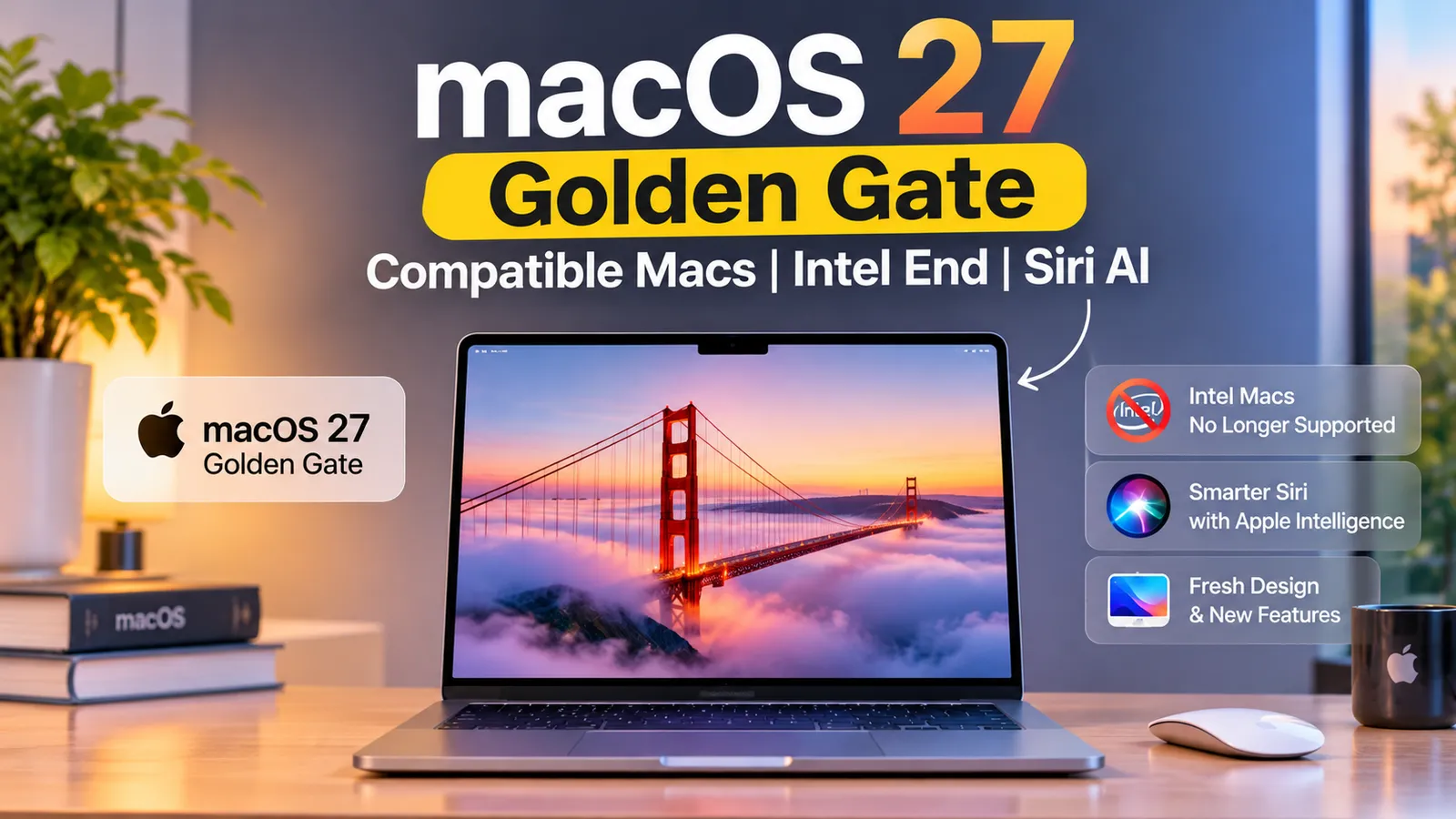
The main thing to know here is that it's the last macOS release for Intel Macs. As stated by MacRumors, macOS 26 Tahoe is the last macOS version to run on Intel Macs. TechRadar also mentions that Golden Gate can only run on Apple Silicon Macs so anyone with an Intel MacBook, iMac or Mac Pro is now stuck.
In terms of features, you'll see a whole Siri overhaul with the addition of an app, Liquid Glass transparency slider, quicker app opening, search overhaul and new parental controls. However, some advanced Siri AI features require an M3 or higher chip and at least 12GB (9to5Mac).
This article shows all the compatibility details, what Intel Macs are no longer supported, what new features there are, what Apple says about performance and any discrepancies. We haven't used macOS 27 ourselves. Everything has been taken from the sources below.
Release date and Beta
MacRumors says macOS 27 released to all compatible Macs on Monday September 14th, with no release time given. 9to5Mac says Apple confirmed the date on its macOS 27 site right after its Surprise and Shine event.
As stated by MacRumors, macOS 27 had a developer beta released in June and a public beta in July. TechRadar mentions that macOS 27 was announced at WWDC 2026 with a developer beta being released the same day. Apple will also consider 2027 to be their main release year for this software.
Additionally, TechRadar mentions that this is the last WWDC with Tim Cook as CEO of Apple. John Ternus will take over later this year. This isn't particularly relevant to the update but explains why some articles have referred to this release as the 'end of an era'.
There is also a macOS Golden Gate 27.0.1 update dated September 28th 2026 (MacRumors). We saw it only as a sidebar headline and did not read the details, so treat it as a pointer to check Software Update.
Compatibility
As stated by MacRumors and 9to5Mac, you can run macOS 27 on the MacBook Neo (2026), MacBook Air (Apple Silicon, 2020 or later), MacBook Pro (Apple Silicon, 2020 or later), iMac (2021 or later), Mac mini (2020 or later), Mac Studio (2022 or later) and Mac Pro (2023 or later).
TechRadar mentions that this means you can run it on MacBooks with M1 or higher chips, MacBook Neo with A18 Pro chip, iMac, Mac mini (M1 model 2020+) and Mac Studio (2022+). No Macs released prior to 2020 will be compatible.
However, AppleInsider mentioned in June during WWDC that there are no Intel Macs within the compatibility list. They also mention that Apple have stated that all Apple Silicon Macs currently in support are included. Some features may require newer processors and certain AI features will only work on newer devices with on-device processing.
To see if your Mac is compatible, they mention to go to About This Mac from the Apple menu. If your chip says Intel then you won't be able to run macOS 27. If it says M1 or higher or A18 Pro (MacBook Neo), you'll be compatible.
Intel Incompatibility
As stated by MacRumors, the following Intel Macs cannot run Golden Gate and will only run Tahoe: the 2020 13-inch MacBook Pro (with four Thunderbolt 3 ports), the 2019 16-inch MacBook Pro, the 2020 27-inch iMac and the 2019 Mac Pro.
However, Apple have stated that Intel Macs will still receive security updates for 3 years (MacRumors). Your Intel Mac running macOS 26 isn't immediately unsafe. But you won't receive any new macOS versions or features.
Whilst you can run macOS 26 on your Intel Mac, TechRadar mention that you shouldn't use an outdated system. Apple reportedly dropped support for Intel because they don't have the NPUs required for on-device AI. We couldn't find any Apple statements confirming this.
Rosetta is also still available. As stated by MacRumors, Golden Gate will still run Intel apps on your Apple Silicon Mac and this will be the last major macOS version to include Apple's full Rosetta translation layer. If you use old Intel only software this is an important deadline.
If you have an Intel Mac you really have two options. Either stick with Tahoe and get 3 years of security updates or upgrade your Mac. Apple increased the price of several Macs in June (see below).
New Siri AI Features
The main feature is the new Siri app and AI powered Siri (9to5Mac). TechRadar mentions that the Siri app has been completely overhauled and uses Google's Gemini. You can now complete tasks using voice or text. This includes creating emails, it can now read what's on your screen. It can also create Calendar events and see if you're free to reply to invites.
The Siri app has been completely redesigned. It can be found inside a new macOS Siri app with history synced through iCloud. It can also be used throughout your system with context menus. It can also be used directly in Spotlight. To open Visual Intelligence you can use a keyboard shortcut.
However, some of the new Siri AI features will only work on Macs with an M3 or higher chip and at least 12GB (9to5Mac). This means that M1/M2 Macs won't get all the features and neither will 8GB Macs.
MacRumors' release article mentions Siri AI as a feature but doesn't mention any requirements. We're taking this from 9to5Mac.
If you're looking to upgrade your Mac, the MacBook Neo has an A18 Pro chip and 8GB of RAM so wouldn't qualify for advanced Siri features. We couldn't find any sources confirming exactly what Siri features the Neo will have.
New Features
Shortcuts app has been upgraded to be AI powered with the ability to create shortcuts based on natural language prompts. An AI extension builder has been added. Pull to refresh in Safari. Improvements to iPhone Mirroring. Video support in Apple Podcasts. New wallpapers and screensavers for Golden Gate. Corners have returned to a fixed radius after being dynamic in macOS 26.
Liquid Glass has been tweaked with soft shadows to make text easier to read. There's also a new transparency slider. The UI has remained largely the same. Spotlight, Photos and Mail have had a complete search overhaul with a new ranking system.
Parents can also block certain apps. New tools allow you to filter out inappropriate images, including nudity and gore. Craig Federighi mentions that Apple are giving parents "powerful tools".
Image Playground has a new UI, AI wallpaper and a new photorealistic model. Everything is processed locally.
Overall, this isn't a very exciting release and focuses mainly on performance and AI.
Performance Claims
TechRadar mentions that Apple claim that apps will open up to 30% faster thanks to preloading. AirDrop sharing will be up to 80% faster. Animations will feel snappier. These claims are the same as the ones made for iOS 27 (See our iOS 27 guide).
These are manufacturer claims. We couldn't find any independent testing. These are just the best case scenario. Preloading will help on Macs with lots of memory available.
With preloading and on-device AI using memory, Apple stating you'll need 12GB to get the advanced Siri features means this is an important factor. Whilst your 8GB Mac may feel a bit different when installing from scratch compared to a 16GB Mac, we don't have any testing data.
Current MacBooks
Both of Apple's current laptops are compatible. However, due to the memory requirements, there's a difference. Macworld mentions that the MacBook Neo has an A18 Pro chip, 8GB of non-upgradable RAM and 256/512GB storage. The 13-inch MacBook Air (M5 chip) starts at 16GB and can go up to 32GB.
Taking into consideration the M3 chip or higher and at least 12GB from 9to5Mac, you'll notice that the base MacBook Air M5 will meet the requirements as it has a newer chip than the M3 and starts at 16GB. However, the MacBook Neo with 8GB won't meet the requirements. This is just our interpretation and we couldn't find any sources mentioning what Siri features the Neo will or won't have.
If the advanced Siri features are important to you, make sure to check Apple's feature availability page to see what features your exact Mac will have. If you're fine with the standard features then all of these Macs will run Golden Gate.
See our companion article for more information on the MacBook Neo and MacBook Air M5 including prices, specs and who should buy which.
Options for Intel Mac Users
You realistically have 3 options. Firstly, you can stick with macOS 26 Tahoe. As mentioned by MacRumors, Apple will provide security updates for your Intel Mac for 3 years. This means you can still use your Mac for browsing, emails and documents. However you won't get any new macOS features and may eventually need a newer system for new apps.
Secondly, upgrade your Mac. Apple raised several Mac prices in June because of a memory chip shortage. Reuters, via Khaleej Times, reported on June 25, 2026 that the 512GB MacBook Air went from $1,099 to $1,299, the 1TB MacBook Pro from $1,699 to $1,999 and the MacBook Neo from $599 to $699 (US prices). MacRumors gives the same Air and Neo changes.
Lastly, you could purchase a used/refurbished Apple Silicon Mac. This could be cheaper than buying brand new. We didn't look into used prices so we don't have any numbers. Just make sure the model you purchase is within the compatibility list.
Whatever option you choose, make sure to back up your data. Even if you're sticking with Tahoe on your Intel Mac, you should have a backup routine. Old drives will eventually fail.
Issues
TechRadar mentions that there are reports that Mission Control has been broken in macOS 27. There are also other bugs. We couldn't confirm this.
MacRumors mention that a 27.0.1 update dated September 28th with unspecified bug fixes is listed. That is consistent with early issues being patched, but we did not read the details.
If you use your Mac for work, it's common practice to wait until the first point update. As this update has been released on September 14th and there's a 27.0.1 update mentioned, you may have already missed your window. Make sure to check Software Update and read through Apple's notes.
Some people mentioned in the comments section of the MacRumors article that you can turn off Siri but you can't fully remove Apple Intelligence. It also uses a lot of storage. These are unconfirmed user comments. Just make sure to check how much storage it's using.
Before Updating
Update from System Settings > General > Software Update. Make sure your Mac is plugged in as this could take a while to update. Your Mac will restart multiple times. Don't close the lid.
Use Time Machine or another backup tool. A major macOS update will completely rewrite parts of your system. Backing up is the best option.
Check your main apps are compatible. Developers usually have compatibility notes. Audio software, Printer Drivers, VPN software and Security tools often need updating.
Log out of any services you're going to retire. Make a note of your licences for any paid software. If an app doesn't work after updating you'll want to have this information to hand when contacting the developer.
Check you have enough free space. Large updates will need more space to download and extract. The AI features may also take up extra storage.
If you're using old Intel only software on your Apple Silicon Mac, make note of the Rosetta deadline. Golden Gate is the last major update with the full translation layer (MacRumors).
If you're managing Macs for a team, try updating one first.
Should I update?
If you have a compatible Apple Silicon Mac and want the new Siri, Liquid Glass slider and performance improvements then you should. The security updates alone are a great reason to keep up to date.
If you have an M1/M2 Mac then you'll get most of the features but may not get the advanced Siri features (9to5Mac requires M3).
If you're looking to buy a new Mac and want the best out of macOS 27 then from what we've read the best bet is to go for a Mac with at least 12GB of memory and a chip from the M3 family or newer.
If you have an Intel Mac you won't be able to install it. Stick with macOS 26 and receive the 3 year security updates Apple promised. Or plan to upgrade.
If you rely on your Mac for critical work then make sure your apps are compatible. You may want to wait a few weeks.
Unclear Information
Siri AI: Only mentioned by 9to5Mac. No mention by MacRumors.
Why Intel was dropped: TechRadar mentions it was reportedly due to no NPUs. We couldn't find any Apple statements.
How many bugs there are: TechRadar mentions Mission Control is broken.
Performance improvements: These are Apple claims.
We haven't used macOS 27 on any Macs.
Sources
MacRumors, Apple Announces macOS Golden Gate Release Date, September 10, 2026: https://www.macrumors.com/2026/09/10/macos-27-golden-gate-release-date/
9to5Mac, Apple confirms macOS 27 Golden Gate launch date: September 14, September 9, 2026: https://9to5mac.com/2026/09/09/apple-confirms-macos-27-golden-gate-launch-date-september-14/
TechRadar, macOS 27 Golden Gate announced at WWDC 2026: https://techradar.com/computing/mac-os/macos-27-golden-gate-announced-at-wwdc-2026-heres-everything-you-need-to-know
AppleInsider, macOS 27 compatibility list focuses entirely on Apple silicon, June 8, 2026: https://appleinsider.com/articles/26/06/08/macos-27-compatibility-list-focuses-entirely-on-apple-silicon
Macworld, MacBook Air vs MacBook Neo compared: https://www.macworld.com/article/667144/macbook-air-vs-macbook-pro-neo-compared.html
Khaleej Times (Reuters), Apple raises prices of MacBooks, iPads as memory costs skyrocket, June 25, 2026: https://www.khaleejtimes.com/business/tech/apple-raises-prices-of-macbooks-ipads-as-memory-costs-skyrocket-2
Questions people ask
When was macOS 27 released?
September 14th 2026 as a free upgrade for compatible Macs (MacRumors, 9to5Mac).
What Macs are compatible with macOS 27?
The MacBook Neo (2026), MacBook Air (Apple Silicon, 2020 or later), MacBook Pro (Apple Silicon, 2020 or later), iMac (2021 or later), Mac mini (2020 or later), Mac Studio (2022 or later) and Mac Pro (2023 or later).
Is macOS 27 compatible with Intel Macs?
No. macOS 26 Tahoe is the last version for Intel Macs. They will receive security updates for 3 years (Apple).
What Macs get full Siri AI?
Some of the most advanced features require an M3 or higher chip and at least 12GB (9to5Mac).
Can I run Intel apps on macOS 27?
Yes. They can be run on Apple Silicon with Rosetta. However, Golden Gate is the last major update with the full translation layer (MacRumors).
What's new in macOS 27?
New Siri app, AI powered Shortcuts app, Liquid Glass transparency slider, Search overhaul, New Parental controls and Apps open quicker (Apple claims).
Are there any known bugs?
Yes. Mission Control has been broken and there are other bugs. A 27.0.1 update with bug fixes is mentioned on MacRumors. We couldn't confirm any details.